
Point of sale and management for retail shops
Sell by barcode in the browser and manage products, purchases, receivables and the books from one dashboard. Retail is available in Jordan.
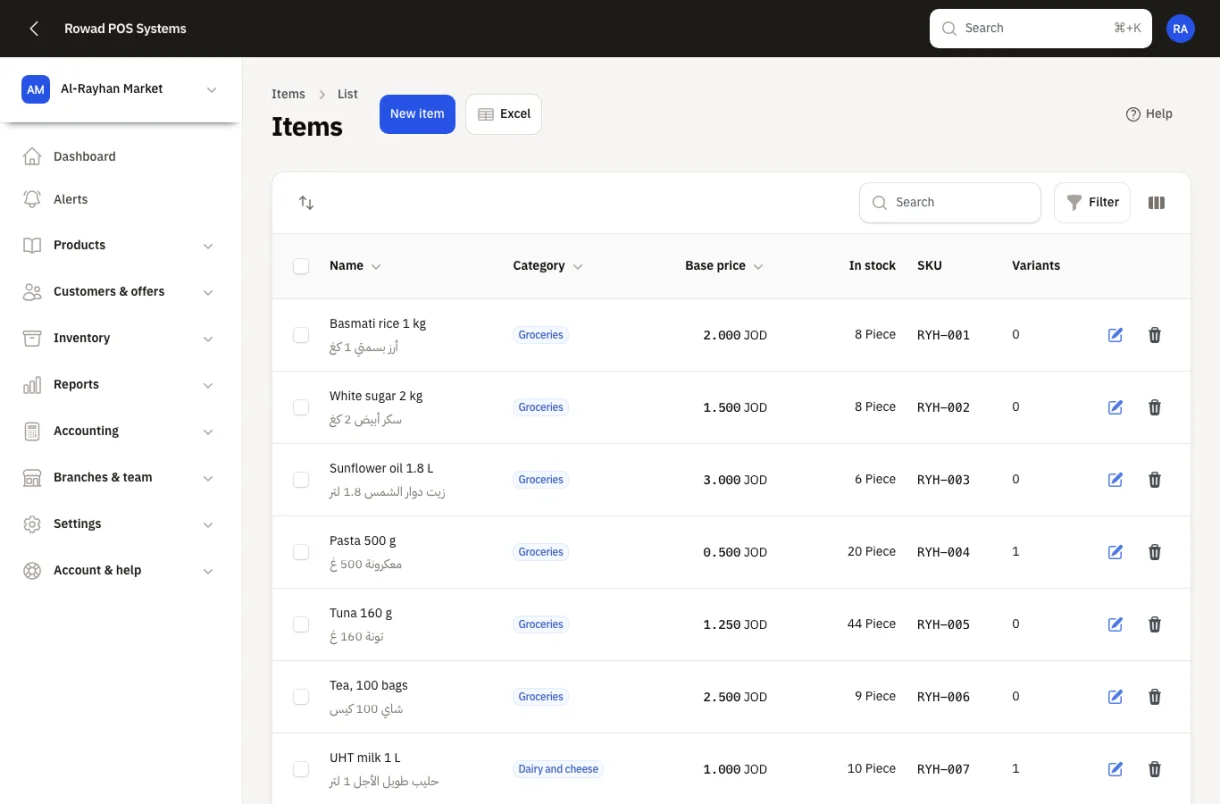
From barcode scan to receipt and return
Scan an item at the till, take payment and print the receipt. If an item comes back, open the original sale to record the return.
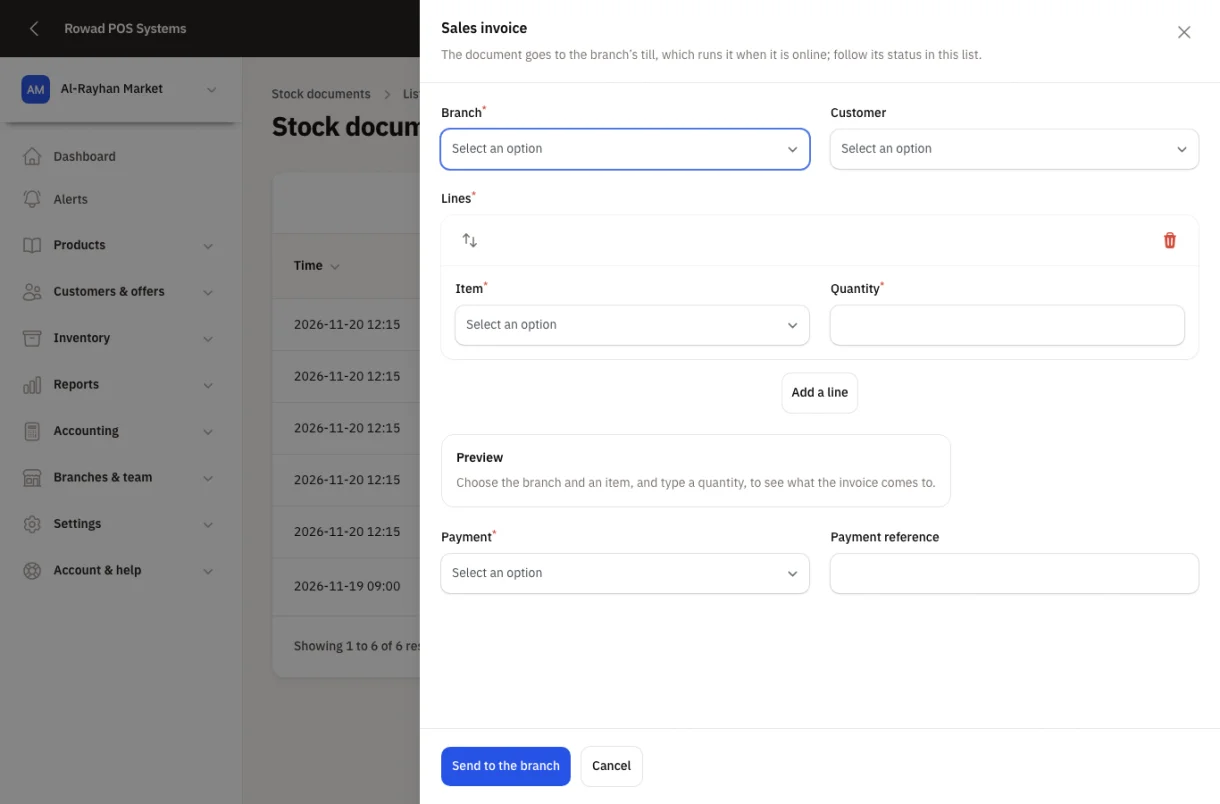
The screenshot shows the sales invoice form in the shop dashboard.
Choose your type of shop
One retail system supports these workflows. Start with the page that best describes how your shop operates.
Groceries & supermarkets
Scan packaged goods at checkout, buy by the carton, sell by the unit and track how much stock you have.
Explore the solutionClothing shops
Give every item you sell a barcode and track balances and returns across branches.
Explore the solutionGeneral retail
Bring sales, stock, purchases and customer balances together in the shop dashboard.
Explore the solutionRunning several branches?
See stock by branch and move goods between warehouses.
What the retail system covers
Barcode checkout
A keyboard-style barcode scanner adds items to the browser till.
Inventory and stocktaking
Track stock and counts. Retail shops can transfer stock between warehouses.
Purchases and suppliers
Record purchase invoices, returns and supplier payments.
Receivables and collections
Record credit sales, review customer statements and record collections.
Reports
Review sales reports. Retail reporting also covers stock movements and receivables.
Accounting
A Jordanian chart of accounts for shops, journal entries and financial reports.